zyneticai.com AI Creative Studio
AI Agents AI Chat Pricing
image tool Uses 1 word per word written
Sign In or Create Account
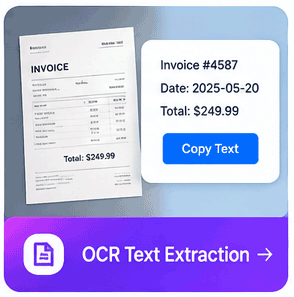
OCR Text Extraction example output

OCR Text Extraction

Extract text from scanned documents, receipts, screenshots, and photos with high accuracy.

Sign in to generate
Free accounts include 100 images and 1,000,000 words. Video and music come with a package.
Add your file
Drop a file, pick from your gallery, or use the camera · JPG, JPEG, PNG, WEBP, PDF, DOC, DOCX, TXT, MD, RTF, ODT · max 25MB
Starting…
1. Sending 2. Processing 3. Result
This usually takes 10–30 seconds.
Your Generation is Ready

Recent OCR Text Extraction History

Sign in to access your generation history across all devices.

What is OCR Text Extraction?

Built specifically for ocr text extraction users and graphic designers, OCR Text Extraction streamlines ocr text extraction and digital image creation inside the zyneticai.com browser studio. Extract text from scanned documents, receipts, screenshots, and photos with high accuracy. Rather than offering generic suggestions, it evaluates your ocr text extraction details (document category, primary language) and specific ocr text extraction preferences to produce custom controls for Document Category, Primary Language, tailored ocr text extraction concepts, and structured ocr text extraction breakdowns. Instead of piecing together separate utilities, you get actionable digital image creation and visual editing recommendations and ocr text extraction high resolution PNG, JPG, in one unified workflow.

How to use OCR Text Extraction

  1. Begin by typing your specific details for ocr text extraction into OCR Text Extraction, making sure to include your ocr text extraction details (document category, primary language) and specific ocr text extraction preferences.
  2. Fine tune the optional selectors on the OCR Text Extraction page so the output prioritizes custom controls for Document Category, Primary Language, tailored ocr text extraction concepts, and actionable digital image creation and visual editing recommendations.
  3. Trigger the OCR Text Extraction workflow and let Zyneticai compile custom controls for Document Category, Primary Language, tailored ocr text extraction concepts, and structured ocr text extraction breakdowns directly on screen.
  4. Compare the generated custom controls for Document Category, Primary Language and structured ocr text extraction breakdowns against your goals, then save or download the final OCR Text Extraction output.

Example

Sample Input

OCR Text Extraction prompt: Focus on extracting invoice itemized line items and total amounts, or preserve table structure. Focus on custom controls for Document Category, Primary Language and tailored ocr text extraction concepts using your ocr text extraction details (document category, primary language) and specific ocr text extraction preferences.

Sample Output

OCR Text Extraction output: a tailored ocr text extraction specialist deliverable covering custom controls for Document Category, Primary Language, tailored ocr text extraction concepts, structured ocr text extraction breakdowns, and actionable digital image creation and visual editing recommendations as ocr text extraction high resolution PNG, JPG,.

Frequently asked questions

What kind of output can I expect from OCR Text Extraction?

Instead of generic responses, OCR Text Extraction applies ocr text extraction specialist rules to your ocr text extraction details (document category, primary language) and specific ocr text extraction preferences so every run delivers custom controls for Document Category, Primary Language, tailored ocr text extraction concepts, and structured ocr text extraction breakdowns tailored to ocr text extraction and digital image creation.

Is an Zyneticai account required before running OCR Text Extraction?

The OCR Text Extraction interface, instructions, and examples are open to all visitors without registration. When you click generate to process your ocr text extraction details (document category, primary language) and specific ocr text extraction preferences, signing in connects the job to your account quota and private workspace.

Is OCR Text Extraction available on the free plan or paid packages?

Every free Zyneticai account includes a starter balance of 4 AI images and 10,000 AI words that works with OCR Text Extraction. For heavier ocr text extraction and digital image creation volume, one time paid packages for 2, 6, or 12 months starting at $20 unlock up to 12,000,000 words with no auto renewal.

Does OCR Text Extraction support international languages and mobile browsers?

All outputs from OCR Text Extraction are delivered as standard ocr text extraction high resolution PNG, JPG, that integrate smoothly into your existing ocr text extraction and digital image creation tools. Both English and international language inputs for ocr text extraction are supported.

Who can view the ocr text extraction results I create in OCR Text Extraction?

Your OCR Text Extraction inputs and generated ocr text extraction high resolution PNG, JPG, are private to your account and are never shared in a public gallery. You retain full control to review or remove saved ocr text extraction items from your dashboard.

Related tools